GigCompass
Home › Learn › How to prepare a landing page project before hiring
How to prepare a landing page project before hiring
Updated 2026-10-06
We may earn a commission if you hire through links on this page, at no extra cost to you. How we choose picks.
A landing page is a single page built to get one action: a purchase, a sign-up, a booking request or a download. It is often the page people reach after clicking an ad or a link. Because it has one job, small decisions about wording, layout and trust make a large difference. This article explains how to prepare before hiring a designer or developer so the page can work from the first day.
1. Choose a single goal
Decide the one action visitors should take: buy, book a call, join a waiting list, request a quote or download a guide. Write it as a measurable number, such as ten enquiries a week. Every element on the page should support that action. If you have several goals, build several pages; a page that tries to do everything usually does nothing well.
2. Know who is arriving and from where
Describe the visitors: what they searched for or what ad they clicked, what problem they have and what they already know. A person who arrives from a search for a specific service expects to see that exact service. Match the page headline to the message that brought them, since a mismatch is a common reason visitors leave within seconds.
3. Prepare a clear offer
State what the visitor gets, what it costs or what happens next, and why it is worth acting now. Include the key benefits in plain language, not only the features. If there is a guarantee, a free trial or a clear process, say so. Keep the offer honest; promises that the business cannot keep lead to refunds and complaints.
4. Outline the page
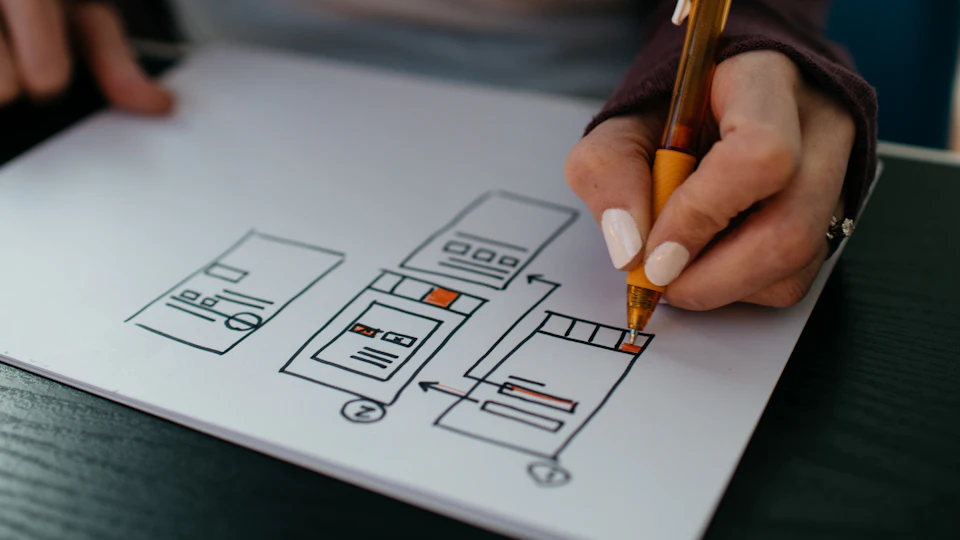
A typical landing page includes a clear headline and supporting line, the main call to action button, a short explanation of the benefits, proof such as reviews and examples, answers to common questions and a final call to action. Add a simple form with only the fields you truly need, since every extra field lowers completion. Share an outline with the designer so you both agree on the order before design begins.
5. Gather proof
People trust evidence more than claims. Collect customer reviews, photos, logos of known clients you have permission to show, results with real numbers, certifications and press mentions. Do not invent testimonials or statistics. If you lack proof, say what you can: your process, your experience and any guarantees you offer.
6. Prepare content and tracking
Provide your logo, brand colors, fonts, product images and any text you have. Decide who writes the headline and body text. Plan how the form will deliver leads, to which email or tool, and who will respond and how quickly. Set up tracking for the main action so that you can measure results, and make sure the page loads quickly and works well on phones.
Questions to ask the designer or developer
- Can you show landing pages you built and tell me how they performed?
- Do you write the text, or do I provide it?
- How will you design for phones first?
- How will the form and tracking be connected, and tested?
- How many revisions are included?
- Will I be able to edit text and images myself later?
Budget and timing
Costs depend on whether custom design and copywriting are included, how many sections the page has and what integrations are needed. Plan time for feedback, testing and a short improvement round after launch. Keep a small budget for adjustments, since the first weeks of real traffic show what to change. If you run paid ads, finish and test the page before the ads start, not after.
After launch
Check the first results after a week or two: how many visitors arrived, how many completed the action and where they dropped off. Look at the page on a real phone and ask a few people to try it and tell you where they hesitated. Change one thing at a time, such as the headline or the button text, and note the date. Keep the old version so you can go back if a change makes results worse. Over time, small steady improvements add up.
Common mistakes
- Adding menus and links that lead visitors away from the goal.
- Using a headline that does not match the ad or search.
- Asking for too much information in the form.
- Launching without testing the form, tracking and mobile view.
FAQ
What makes a landing page different from a normal page?
It has one goal and removes distractions such as extra menus and unrelated links.
Who should write the text?
Ideally someone who understands your customers. Ask whether the designer writes copy or whether you or a copywriter will provide it.
Do I need to build several versions?
Often one page per audience or campaign works best, because the message matches what people clicked.
How do I know it works?
Track the main action and compare the share of visitors who complete it over a fair period.
Which platform should it be on?
Use a platform your team can edit, or ask the freelancer to recommend one and explain the ongoing costs.