GigCompass
Home › Learn › UX vs UI vs web design: which designer do you need?
UX vs UI vs web design: which designer do you need?
Updated 2026-10-02
We may earn a commission if you hire through links on this page, at no extra cost to you. How we choose picks.
UX design, UI design and web design overlap, and many designers offer more than one. But they focus on different problems. UX is about how something works for the user, UI is about how it looks and feels on screen, and web design usually covers the visual design of a website, sometimes including the build. Knowing the difference helps you search for the right person and write a clearer brief.
UX design: how it works
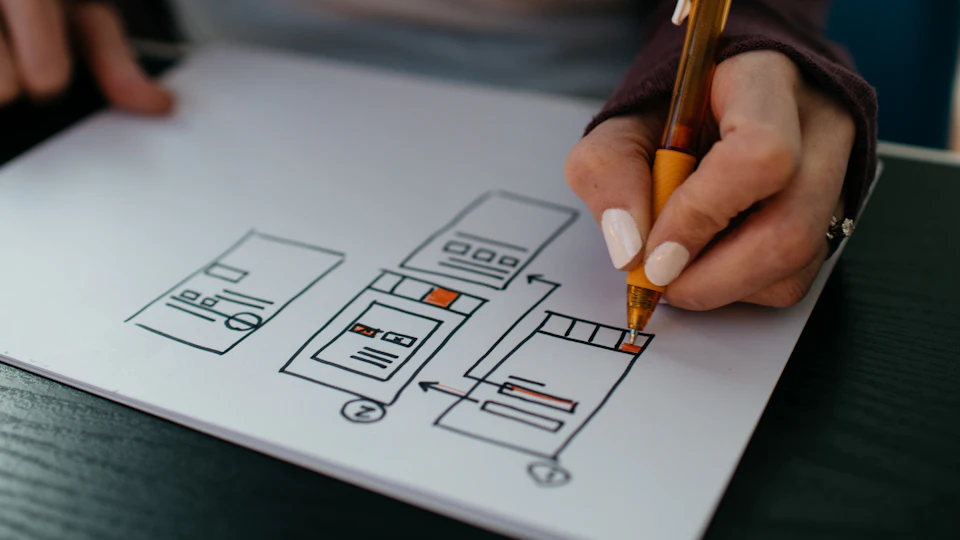
User experience (UX) design focuses on how easy and pleasant a product is to use. A UX designer studies who the users are and what they need to do, then plans the structure, flows and screens that help them do it. Typical deliverables include user flows, site maps, wireframes, clickable prototypes and notes from user testing. UX is most valuable for apps, online tools, stores with complex checkouts and any product where users must complete tasks.
UI design: how it looks on screen
User interface (UI) design turns the structure into a finished visual design: layout, colors, typography, buttons, icons and states such as hover or error messages. A UI designer often creates a design system, a set of reusable components that keep every screen consistent. Deliverables are high-fidelity screens and files a developer can build from.
Web design: the website as a whole
Web design usually means designing the pages of a website: home page, service pages, about page and so on. Web designers combine basic UX thinking with visual design, and some also build the site on a platform such as WordPress, Webflow or Wix. A landing page designer focuses on a single page built for one goal, such as sign-ups or sales.
Titles vary between designers, so judge by portfolio and process rather than labels. A designer who calls themselves a product designer may cover both UX and UI; a web designer may do strategy, design and build. Ask each candidate which parts of the process they will handle and which they expect you or a developer to cover.
Side-by-side comparison
| Focus | Typical deliverables | Best for | |
|---|---|---|---|
| UX design | Structure and usability | Flows, wireframes, prototypes, test notes | Apps, tools, complex sites |
| UI design | Visual interface | Final screens, components, specs | Apps and products ready to build |
| Web design | Website pages | Page designs, sometimes the built site | Business and portfolio sites |
| Landing page design | One page, one goal | A single conversion-focused page | Campaigns and product launches |
How to choose
- Building an app or tool from scratch: start with UX design, then UI or app design.
- Need a business website: a web designer, ideally one who can also build it or works with a developer.
- Running an ad campaign: a landing page designer.
- Existing product with confused users: a UX review or audit.
What a typical process looks like
For a website or app, a common process runs in stages. First, the designer gathers goals and studies users and competitors. Next come site maps or user flows and simple wireframes to agree on structure. Once the structure works, visual design begins, often starting with one key screen to set the style. Then the remaining screens are designed, followed by a prototype for testing and finally a handoff to development. Each stage is a chance to give feedback before the next, more expensive step.
Skipping the early stages is tempting, but changing structure after the visual design is finished takes much longer. Approving wireframes first usually saves time overall.
Plan the handoff to development
If the designer does not build the product, plan how the design will reach the developer. Ask for organized design files, a list of components and states, spacing and color specifications and exported assets such as icons. Ask whether the designer will answer the developer's questions during the build. A design that looks great but is hard to build often ends up changed in ways you did not intend.
What to include in the brief
Describe your users and the main tasks they need to complete, not only the look you want. Share your brand assets, examples of products you admire and any technical limits, such as the platform the site will use. List the pages or screens needed and the devices that matter most. Clear goals help any designer make better decisions.
FAQ
Does a UI designer build the website?
Usually not. Most UI designers deliver designs; a developer builds them. Some web designers do both.
Do I need UX research for a small website?
Often not much. A clear structure and a few user tests can be enough.
What files will I get?
Commonly design files in a tool such as Figma, plus exported images and specifications for developers.
What is a wireframe?
A simple layout sketch showing structure and content, without final colors or images.
What is a prototype?
A clickable mock-up that shows how screens connect, used for testing before building.