GigCompass
Home › Learn › App design before development: why the order matters
App design before development: why the order matters
Updated 2026-10-03
We may earn a commission if you hire through links on this page, at no extra cost to you. How we choose picks.
Many app projects begin by hiring a developer and describing the idea in a few paragraphs. The developer then has to guess how screens should look and work, and every guess that turns out wrong means rework in code, which is the most expensive place to make changes. Designing first lets you test and adjust the app while changes are still cheap. This article explains the usual order of app design work and how it connects to development.
Why design comes first
Changing a drawing takes minutes. Changing working code can take days, especially once screens depend on each other. When an app is designed first, you can show the screens to potential users, spot confusing steps and refine the flow before any development budget is spent. Developers also quote more accurately when they can see every screen, which reduces surprises later. Our app MVP preparation article covers the planning that comes before design.
1. Research and requirements
Design starts with understanding who will use the app and what they need to do. For small projects this may simply be a list of user types, their main goals and the features that support them. A UX designer can run short interviews or review competing apps to find what works and what frustrates users. The result is a clear list of tasks the app must make easy.
2. User flows
A user flow maps the steps a person takes to complete a task, such as signing up, booking an appointment or making a purchase. Flows show where decisions happen and which screens are needed. They often reveal missing steps, like what happens when a payment fails or a user forgets a password, which are easy to overlook in a written description.
3. Wireframes
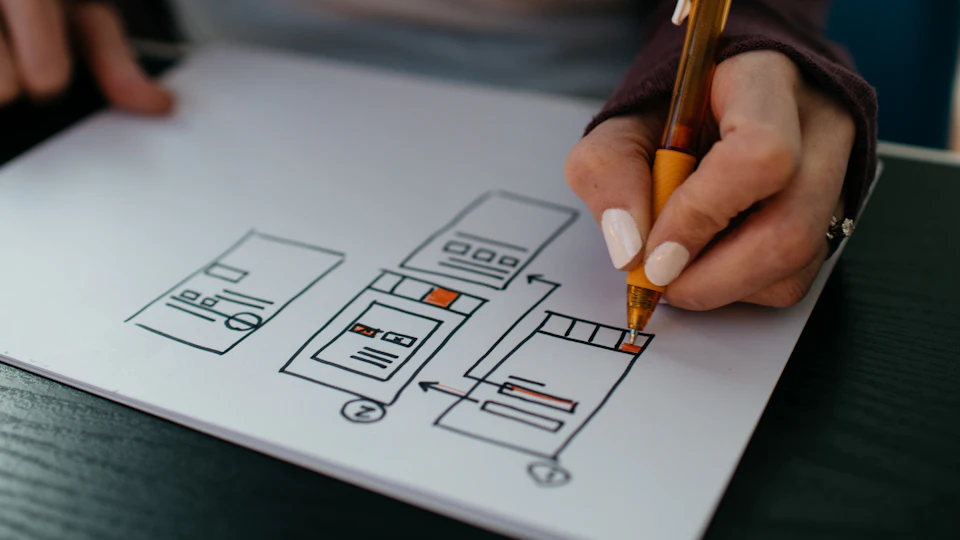
Wireframes are simple layouts of each screen that show structure and content without final colors or styling. They keep discussion focused on what goes where and how screens connect. Reviewing wireframes is the best moment to cut features, simplify navigation and agree on content, because nothing is polished yet and changes are quick.
4. Prototype and test
Linking wireframes or designs into a clickable prototype lets people tap through the app on a phone. Ask five or so people from your target audience to complete key tasks while you watch. Where they hesitate, misunderstand or get stuck, the design needs work. User testing freelancers can run these sessions and summarize the findings.
5. Visual design
Once the structure works, an app designer applies the visual layer: colors, typography, icons, imagery and the details that make the app feel polished. Good designers create a small set of reusable components, such as buttons, inputs and cards, so screens stay consistent and development is faster. Ask them to follow platform conventions for iOS and Android where it helps users feel at home.
6. Handoff to development
The handoff is where design and development meet. Developers need final screens for every state, including empty, loading and error states, plus exported assets, spacing and color values, and notes on animations and behavior. Most design tools let developers inspect these details directly. Ask the designer to stay available during development to answer questions; a few hours of support prevents many small inconsistencies.
If your budget is small
Even with a tight budget, a few days of wireframing before development is usually worth it. You can skip polished visuals for internal tools and use a ready-made component library, but the flows and wireframes still prevent expensive rework.
Hiring for each step
| Step | Who |
|---|---|
| Research, flows, wireframes | UX designer |
| Prototype testing | UX designer or user testing specialist |
| Visual design and components | App or UI designer |
| Microcopy and labels | UX writer |
| Building the app | Mobile or cross-platform developer |
Some freelancers cover several of these steps, which can simplify small projects. For larger apps, specialists at each stage usually produce better results. Our UX vs UI vs web design article explains the differences between these roles, and our mobile app development guide covers how to compare developers.
Keep the design files in an account you own and share access with developers. As the app evolves, the design file becomes the reference for every new feature, so keeping it up to date saves time on every future update.
FAQ
Can a developer design the app too?
Some can, but design and development are different skills. For important apps, a dedicated designer usually pays off.
What is a wireframe?
A simple layout of a screen showing structure and content without final colors or styling.
What is a clickable prototype?
Linked screens that let people tap through the app as if it were real, before any code is written.
How much design is enough for an MVP?
Enough to cover the core flow clearly. Secondary screens can follow common patterns.
What does a developer need from the designer?
Final screens, components, spacing, assets, states and notes on behavior.