GigCompass
Home › Learn › Video editing vs animation: choosing the right video service
Video editing vs animation: choosing the right video service
Updated 2026-10-02
We may earn a commission if you hire through links on this page, at no extra cost to you. How we choose picks.
If you need a video, the first question is whether it will be made from footage you already have or created from scratch. A video editor works with existing footage. An animator creates moving images from drawings, shapes or 3D models. Some videos need both. Knowing which one you need saves time when you search and makes your brief much clearer.
What a video editor does
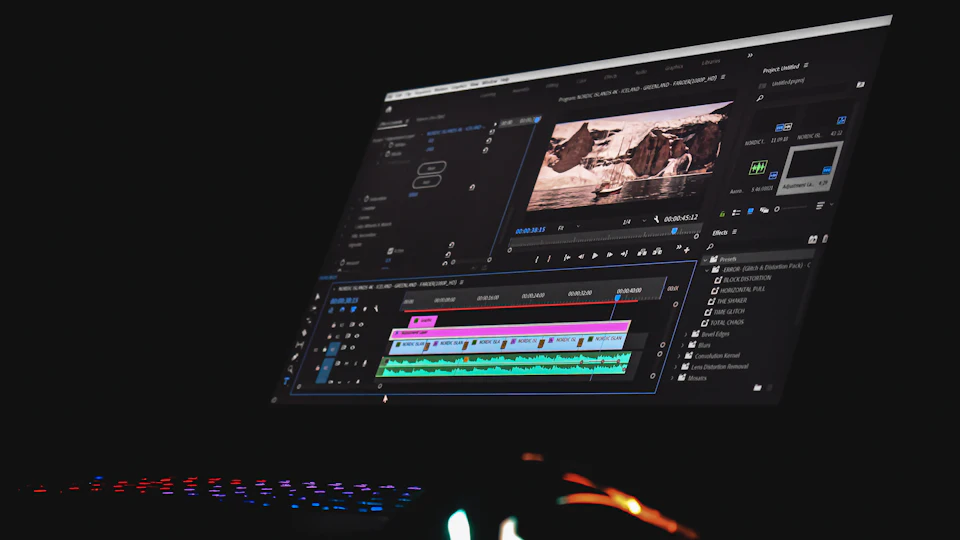
A video editor takes raw footage and turns it into a finished video. Typical work includes cutting and arranging clips, removing mistakes, adding music and sound, color correction, captions, titles and simple graphics. Editing is the right service when you already have footage, such as recordings from a phone or camera, a webinar, an interview or product clips.
The quality of the result depends heavily on the footage. A skilled editor can improve pacing, sound and color, but cannot fix everything. Share samples early and ask what is possible.
What an animator does
An animator creates movement from scratch. Common styles include 2D explainer animation, motion graphics, whiteboard animation, character animation and 3D animation. Animation is useful when the subject is hard to film, such as software, services, processes or ideas, or when you want a consistent branded look that does not depend on locations and actors.
Animation projects usually have more stages: script, voice over, storyboard, design and then animation. Each stage needs your approval, so plan time for reviews.
When you need both
Many videos combine the two. A product video might use filmed footage with animated labels and transitions. A social media ad might mix clips with animated text. In those cases you can hire an editor who offers motion graphics, or an animator who can work with footage. Make it clear in your brief which parts are filmed and which are animated.
Side-by-side comparison
| Video editing | Animation | |
|---|---|---|
| Starting point | Your footage | A script and ideas |
| Best for | Talking heads, events, tutorials, social clips | Explainers, abstract ideas, branded content |
| Main inputs from you | Footage, music preferences, notes | Script, brand assets, approvals at each stage |
| Typical timeline | Shorter | Longer, with more review stages |
| Easy to update later | Yes, with the project file | Yes, with the project file, but changes take more work |
If you have no footage
You have three options: animation, a videographer who films for you, or an editor who uses licensed stock footage. User-generated style videos, made by creators filming themselves with your product, are another popular choice for ads. See our UGC video guide.
What to prepare
For an edit, gather all the footage in one shared folder, name the files clearly and note which clips matter most. Add any logos, music you have the rights to use and examples of videos with the pacing you like. Say where the video will be posted, because each platform has its own shape and length, and editors can deliver several versions from the same footage.
For animation, the script is the foundation. Write or approve it before any design starts, and read it aloud to check the length; a minute of video usually needs a fairly short script. Share your brand colors, fonts and logo, and decide early whether you want a voice over, music only or text on screen. Approving each stage, from storyboard to style frames, avoids expensive changes once animation has started.
Music, voice and footage rights
Ask where music, sound effects, stock footage and voice recordings come from and whether you may use them commercially. Licenses differ between platforms such as social media, paid ads and television. It is much easier to confirm this at the start than to replace music after the video is finished.
Questions to help you decide
- Do I already have usable footage?
- Is my subject easy to show on camera?
- Do I need real people and real products on screen?
- How often will I need to update this video?
- How much time do I have for reviews?
Whichever you choose, agree on length, format, music licensing, revisions and source files before ordering.
FAQ
I have no footage. Do I need animation?
Not always. You can also hire a videographer to film, or use stock footage with an editor.
Is animation more expensive than editing?
Usually, because everything is created from scratch. Simple motion graphics can be affordable.
Can an editor add simple animated text?
Many can add titles, captions and basic motion graphics as part of an edit.
Which is better for explaining a product?
Animation works well for abstract or technical ideas; filmed video works well for showing real products and people.
Who writes the script?
Sometimes the video seller, sometimes you, sometimes a separate scriptwriter. Agree on it before ordering.