 GigCompass
Home › Digital Marketing › Methods & Techniques
Best Email Marketing Experts
Updated 2026-09-26
We may earn a commission if you hire through links on this page, at no extra cost to you. How we choose picks.
Email is one of the few marketing channels you own: no algorithm decides whether your subscribers see your message. It also goes wrong quietly, with emails landing in spam, lists bought from strangers, or automations that nobody tests. This guide shows you what to ask for so your emails reach real people and earn their clicks.
We picked these 6 sellers from public ratings, review counts and how closely their gigs match this service; no seller paid to be listed. Ratings and review counts were last checked on 2026-10-02. Starting prices among them run from $105 to $1,980, with a middle value near $750; a starting price is the smallest package, not a quote for your project. Prices and availability can change, so confirm details on the gig before ordering. How we pick
#1Best overall for Mailchimp campaigns
Jennifer C
Vetted Pro“I will be your mailchimp email marketing expert”
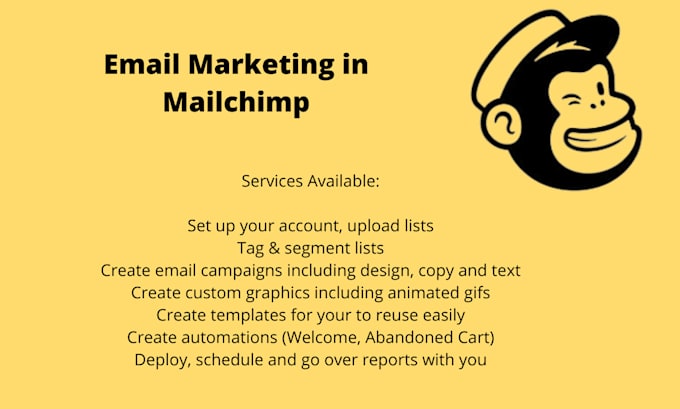
A Mailchimp specialist with a perfect rating who sets up your account, templates and sign-up forms, cleans your list and sends campaigns with scheduling and reporting. Unlimited revisions.
Keep in mind: The basic package covers two campaigns; make sure your list was collected with permission.
Checked on 2026-10-02. Ratings and prices change, so confirm on the gig page.
#2Best for full Klaviyo setup and management
TAS DIGITAL
Vetted Pro“I will set up and optimize your klaviyo email flows to grow ecommerce revenue”
An agency that builds a complete set of Klaviyo flows for online stores, or manages campaigns, segmentation and A/B testing every month, with unlimited revisions.
Keep in mind: A premium, month-long engagement; better suited to established stores than to new ones.
Checked on 2026-10-02. Ratings and prices change, so confirm on the gig page.

#3Best for ongoing monthly Klaviyo management
Stoyan V
Vetted Pro“I will manage your email marketing in klaviyo”
Manages your Klaviyo email marketing for a month at a time: campaigns, flows, A/B tests, reporting and strategy calls.
Keep in mind: A monthly retainer at a high price point; agree on goals and reporting up front.
Checked on 2026-10-02. Ratings and prices change, so confirm on the gig page.

#4Best for a Klaviyo audit before you spend more
Jan
Vetted Pro“I will build klaviyo email marketing flows for your shopify store”
Starts with an affordable audit of your Klaviyo setup and a prioritized action plan, then builds the highest-value flows for Shopify stores in the larger packages.
Keep in mind: The basic package is an audit and plan, not a full setup.
Checked on 2026-10-02. Ratings and prices change, so confirm on the gig page.
#5Best for welcome and abandoned-cart flows
Luisamarketer
Vetted Pro“I will setup klaviyo email flows for your shopify store”
Builds core Klaviyo automations for Shopify stores, starting with welcome and abandoned-cart flows and growing to a full automation system, with copy and templates included and milestone payments available.
Keep in mind: Fewer reviews and two revisions per package.
Checked on 2026-10-02. Ratings and prices change, so confirm on the gig page.
More Email Marketing sellers worth a look
-
View gig →
Marin Vetted Pro
Best for designed monthly newsletters
★ 4.9 (54 reviews) · From $360
Designs and sends a month of custom newsletters in Mailchimp or Klaviyo, with copywriting available in the higher packages and unlimited revisions.
Browse all Email Marketing gigs on Fiverr →
What a good email marketing package includes
Email marketing gigs cover platform setup, automated flows, one-off campaigns or monthly management. Whatever you choose, the package should state:
- Platform: which email tool will be used, and whether setup or migration is included.
- Deliverables: the number of emails, flows or campaigns.
- Copy and design: whether the specialist writes and designs the emails, or you supply them.
- Sign-up forms: pop-ups or embedded forms on your website, if included.
- Deliverability checks: domain sending settings and a spam test.
- Testing: test sends on phone and desktop before anything goes live.
- Reporting: what numbers you will see and how often.
How to brief an email marketing expert
- Your goal: first purchases, repeat purchases, bookings or keeping in touch.
- Your list: how many subscribers, how they signed up, and when you last emailed them.
- Your platform and access to it, plus access to your website for forms.
- Brand files: logo, colors, fonts and a few product photos.
- Voice: two or three emails from other brands you like, with a note on why.
- Offers you can use, such as a welcome discount or free shipping, and ones you do not want to give.
- Rules: claims you cannot make and any legal text you must include.
A simple first project is a welcome series for new subscribers. It is easy to measure and keeps working after the order ends. If you sell online, add an abandoned-cart flow next.
What drives the price
- number of emails, flows and campaigns
- copywriting and custom design versus your own content
- platform setup or migration from another tool
- list cleanup and segmentation
- connections to your store, booking tool or website
- one-time setup versus ongoing monthly work
Red flags
- The specialist offers to supply a list of email addresses.
- No mention of consent, unsubscribe links or sending settings.
- Promises of a fixed open rate or a guaranteed amount of sales.
- They want your platform password instead of their own user account.
- Samples that look good as images but were never sent or tested.
Email works best when people have a reason to sign up. A focused page for your offer helps; our landing page design guide covers that. Rules on consent and marketing email differ between countries, so check the rules where you and your subscribers live.
Questions to ask before you order
- Which email platform do you know best, and will the account stay in my name?
- Which messages will you set up first, such as welcome, follow-up or abandoned basket?
- How do you handle consent, unsubscribes and list cleaning?
- Will you test the emails on phones and in different email apps?
- Which results will you report, and how will we judge success?
Before a campaign goes out, send a test to yourself and a colleague and open it on a phone. Check every link, the sender name and the unsubscribe link. A short test catches most mistakes before your whole list sees them.
Quick pre-order checklist
- Everyone on my list signed up to hear from me.
- I know which platform will be used and I own the account.
- The package states the number of emails and whether copy and design are included.
- Sending settings and test sends are part of the job.
- I know which numbers I will see in reports.
FAQ
Which email platform should I use?
Use the one that fits your size and your store or website. Popular platforms connect to Shopify, WordPress and most booking tools. A good specialist will work in the platform you already have, or explain clearly why a switch is worth it.
Can the expert provide an email list?
Do not accept a bought or rented list. Sending to people who did not sign up breaks the rules of most email platforms, harms your sender reputation and may be illegal where you or your subscribers live. Grow your own list instead.
What are automations or flows?
They are emails sent automatically when someone does something, such as signing up, leaving items in a cart or buying for the first time. They often keep working for months after setup, so they are a good first project.
Will the expert write the emails too?
Some packages include copywriting and design, others only set up the platform. Check whether writing, design and images are included, and how many emails you will get.
How do I keep emails out of the spam folder?
Ask the specialist to check your domain's sending settings, often called SPF, DKIM and DMARC. Send only to people who opted in, make unsubscribing easy, and remove addresses that never open.